Accessibility guide
Are Fancy Fonts Accessible?
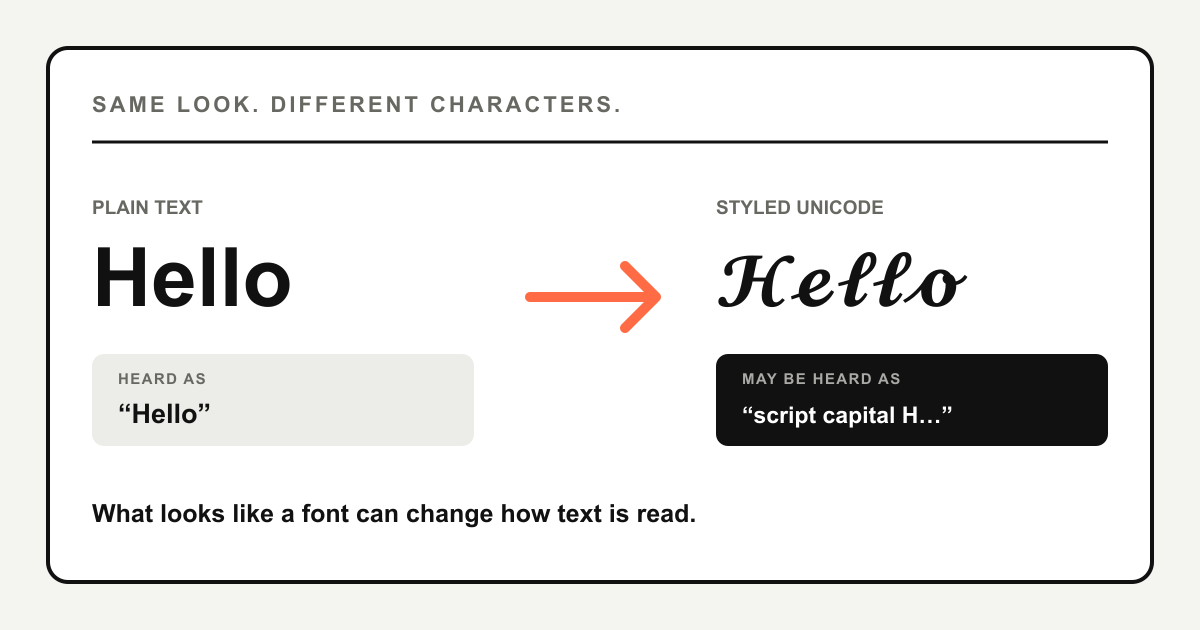
Fancy fonts are not reliably accessible when they replace ordinary letters with styled Unicode characters. A screen reader may announce character names, read the word letter by letter, skip part of it or handle it normally. Use fancy text as a short visual accent, and keep names, instructions, links and essential information in plain text.
Why does fancy text behave differently from a real font?
A real font changes how the same letters are drawn. The word Hello remains the letters H, e, l, l and o whether a website displays it in Arial, Georgia or another typeface. Assistive technology still receives the underlying word.
A fancy text generator works differently. It replaces ordinary letters with separate Unicode characters that resemble script, bold, Fraktur, circled or other styles. For example, Hello and a styled Unicode version of Hello look related to a person, but their underlying character sequences are not the same.
H e l l o 𝓗 𝓮 𝓵 𝓵 𝓸 Many popular styles use characters from Unicode's Mathematical Alphanumeric Symbols. Unicode assigns those characters distinct names and recommends ordinary Latin or Greek letters with markup for general text. That difference in character identity is why software cannot always treat decorative text as an ordinary word.
What can a screen reader say?
There is no single result for every screen reader, voice, browser and operating system. Depending on the style and software, a listener may hear the intended word, individual character descriptions such as “mathematical bold capital H,” an awkward sequence of letters, or nothing for unsupported characters.
Read as a word
The software maps the characters to a useful spoken form.
Announced by name
Each symbol is described by its technical Unicode name.
Skipped or unclear
Some characters are silent, broken apart or pronounced unexpectedly.
This variation matters most when the styled words carry the message. A decorative greeting may be optional; a phone number, event time, warning or call to action is not.
Can fancy fonts affect search and copying?
Styled Unicode may be found by its exact character sequence, but it is not identical to the plain spelling. A search box, username lookup, moderation system or Ctrl/Cmd + F may normalize some variants and not others. Behaviour depends on the service, so an exact plain-text match should not be assumed.
Keep the searchable version of your name, brand, hashtag and important keywords in ordinary letters. This is more dependable for people who type the plain spelling and for systems that compare characters literally. Decorative text can sit beside it instead of replacing it.
Where should you use fancy text?
| Place | Recommendation | Why |
|---|---|---|
| Short decorative phrase | Use sparingly | The meaning can remain available in nearby plain text. |
| Social media bio accent | Use one short line | Keep your name, role and contact details plain. |
| Display name | Keep a plain version nearby | People may search for or need to pronounce your name. |
| Caption or long post | Prefer plain text | Long styled passages are harder to read and listen to. |
| Username, hashtag or URL | Avoid styled characters | Exact characters matter for typing, matching and navigation. |
| Instructions, prices or dates | Use plain text | The information should not disappear or become ambiguous. |
| Legal, safety or emergency text | Use plain text | Decoration should never obstruct essential meaning. |
Accessible fancy text examples
Avoid
𝓐𝓵𝓮𝔁 · 𝓓𝓮𝓼𝓲𝓰𝓷𝓮𝓻 · 𝓒𝓸𝓶𝓶𝓲𝓼𝓼𝓲𝓸𝓷𝓼 𝓸𝓹𝓮𝓷 Visual example of a fully styled bio: Alex, designer, commissions open.Every useful detail has been replaced with decorative characters.
Better
Alex · DesignerCommissions open — email@example.com
The second version still has personality, but the person's name, role and contact information remain ordinary text. If the decoration is skipped, the message still works.
How to check styled text before posting
- Ask whether the text is decoration or information someone must understand.
- Keep the plain spelling of names, keywords, links and calls to action.
- Use one short styled accent instead of converting the entire message.
- Paste it into the exact profile field, caption or app where it will appear.
- Test with VoiceOver, TalkBack or another screen reader when accessibility matters.
- Check another device for missing glyphs or squares.
If characters display as empty boxes, follow the fancy text compatibility guide and choose a simpler style.
Frequently asked questions
Are all fancy fonts inaccessible?
No single style behaves identically in every screen reader and app. The safest approach is to treat styled Unicode as decoration and preserve important meaning in plain text.
Can I use fancy fonts in an Instagram or TikTok bio?
Yes, but use them for a short optional accent. Keep your searchable name, description, link and contact information in ordinary characters.
Does adding an aria-label make a social media bio accessible?
No. You cannot add HTML accessibility attributes to ordinary profile text on most social platforms. The practical fix is to include a plain-text version.
Are custom website fonts the same problem?
Usually not. A CSS font changes the visual glyph while the underlying letters remain ordinary text. Problems can still come from poor typography or markup, but that differs from replacing letters with styled Unicode characters.
Should hashtags and usernames use fancy Unicode?
Plain characters are more dependable because people and software often need to type or match the exact sequence.